How Do I Access a Return With a Validation Error?
Online · Written guide Content date 1 min read
Tax returns go through a series of validation tests when they are electronically filed and reach the Tax Processors Plus Online server. Occasionally, tax returns fail validation and are not able to be sent to the IRS.
To access a return that has failed to validate, from the Welcome page of Tax Processors Plus Online select the VALIDATION ERRORS button:

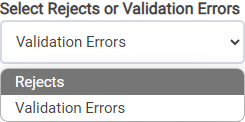
While you are in this menu you can switch to looking at returns that rejected. Under Select Rejects or Validation Errors, click the drop down menu and select Rejects: