How to Change the Preparer on a Return
Online · Written guide Content date 1 min read
To change the preparer on a tax return in Tax Processors Plus Online, from the Welcome Page select:
- Client Search
- Locate the tax return you wish to change the preparer on
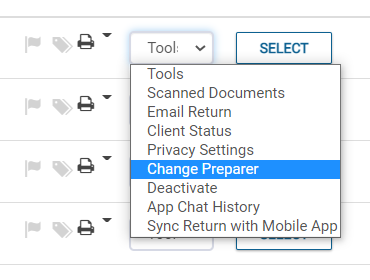
- Click the Tools dropdown menu
- Select Change Preparer
- Select the new preparer from the dropdown menu, then click Continue.
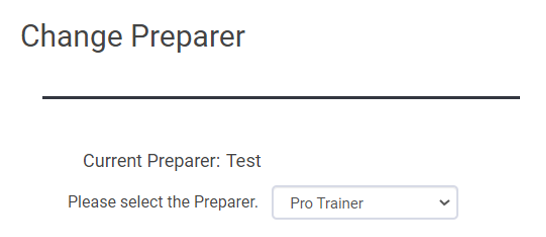
- The preparer on the tax return has now been changed.
Additional Information: