e-File Process - Bank Account Page
Online · Written guide Content date 2 min read
On this page
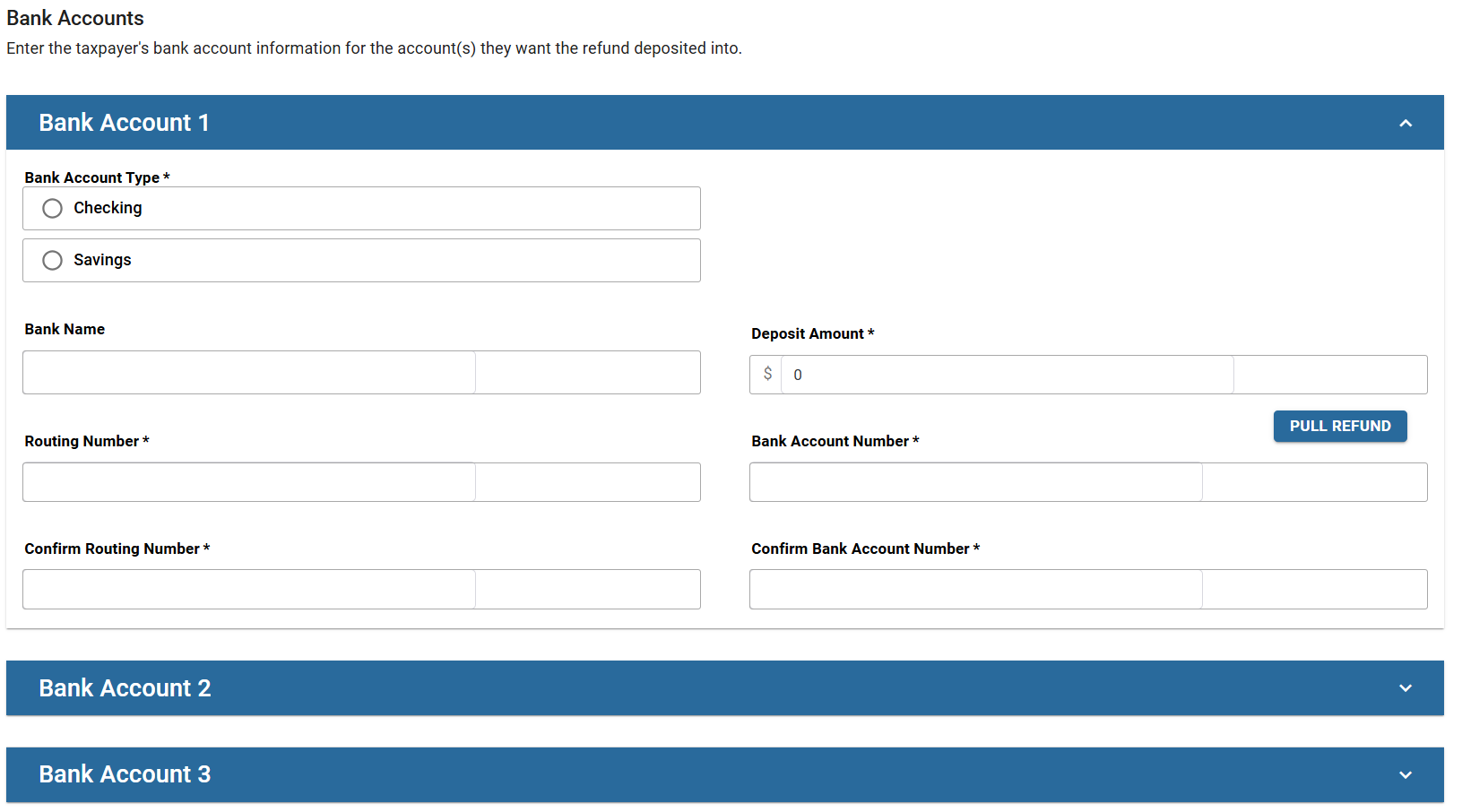
The bank account page in Tax Processors Plus Online will be displayed when either the federal return or a state return has an e-file type selected of direct deposit or direct debit. The same account must be used for both the federal and state returns.
Direct Deposit
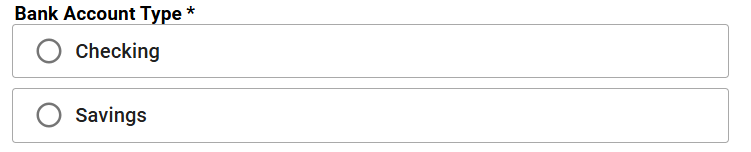
Bank Account Type
Select Checking or Savings.
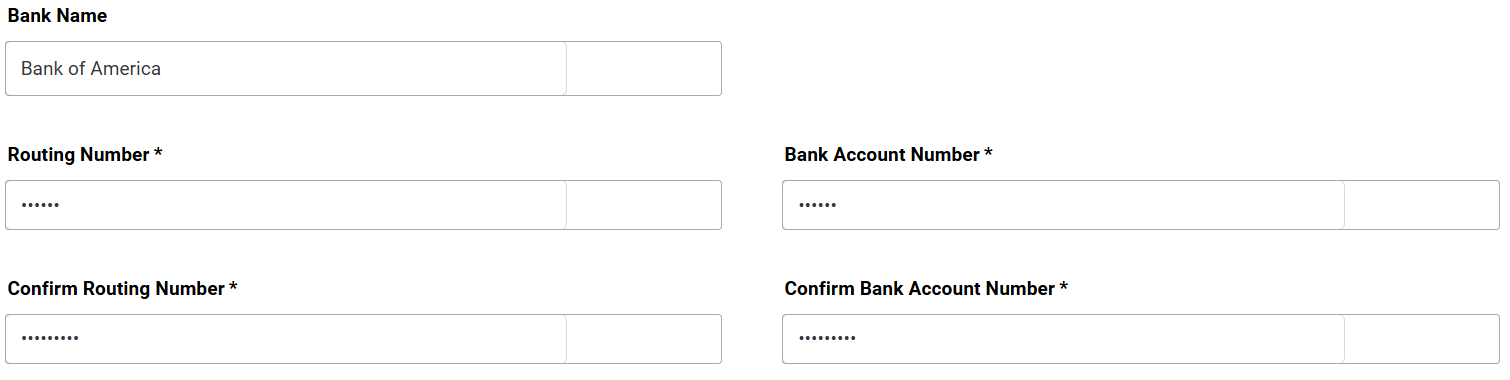
Bank Name, Routing Number and Account Number
Enter the name of the bank, the bank's routing number and the taxpayer's account number. You will need to verify the routing and account number by entering it twice.
Allocating the Refund to Multiple Accounts
If you have configured your Tax Processors Plus Online office to offer Form 8888, Allocation of Refund, you will see this message above the bank account:
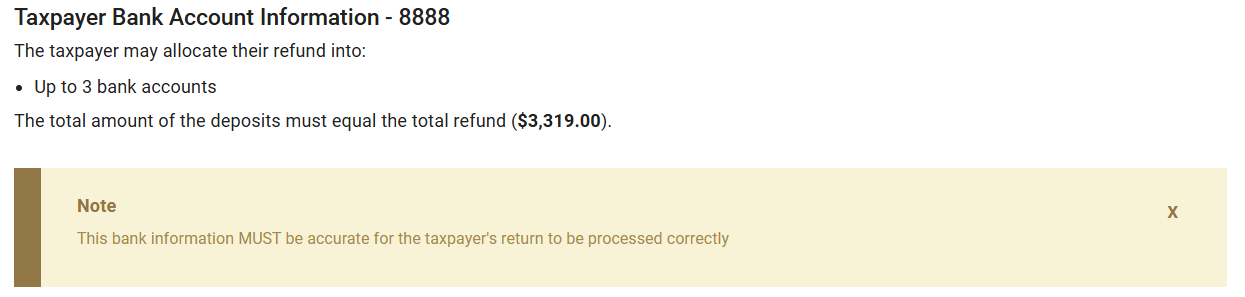
In the Bank Accounts section you can enter up to three different accounts to split the refund between them.
Direct Debit
If either the federal return or a state has an e-file type of direct debit selected, you will be prompted to enter additional information.
Amount of tax payment
For the federal return only, the taxpayer can elect to pay the entire amount due, or a portion of the amount due. Enter the amount that the taxpayer is paying via direct debit in the space provided. If the entire amount due is being paid, select Populate amount owed.
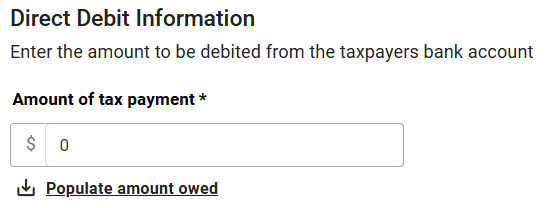
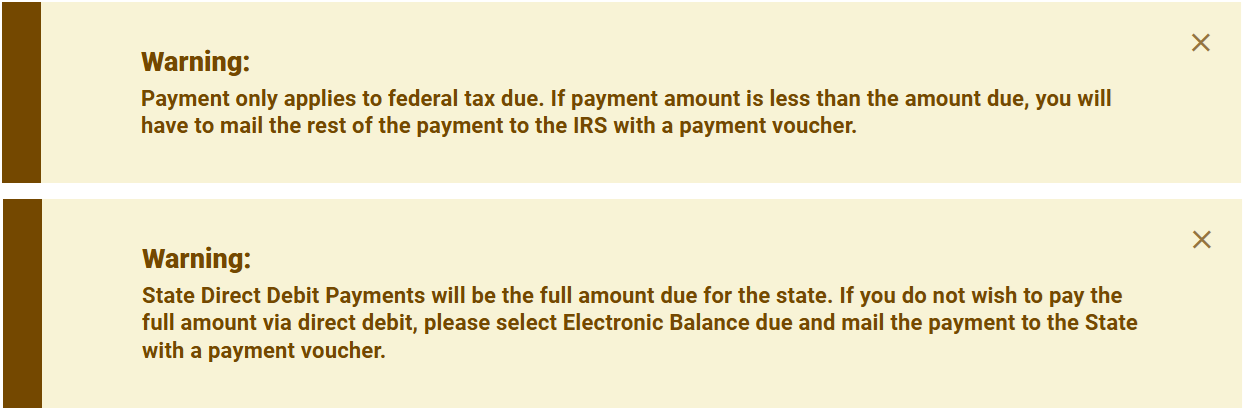
The amount entered applies only to the federal balance due.
State Direct Debit Payments
State direct debit payments must be made for the full amount due to the state, If the taxpayer does not want to pay the full amount due via direct debit, the state e-file type can be changed to Electronic Balance Due from the Return Details menu. The taxpayer can remit payment the state via mail or at the state's payment website.
Note the following warnings that display on the screen:
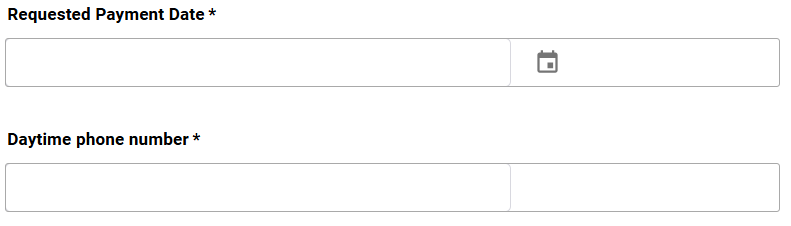
Additional Required Information
In the fields provided, enter the requested payment date up to the filing deadline and the taxpayer's daytime phone number. This information is required for payment by direct debit. If the tax return is being filed after the filing deadline, enter the transmission date.