PaperCut: How do I remove a document?
Software reference · Written guide Content date 1 min read
Documents can be added to client's record in PaperCut in either of two ways:
- In PaperCut under the Tax Returns tab.
- Within their tax return under the Personal Information menu.
While documents can be added either way, they can only be removed in PaperCut.
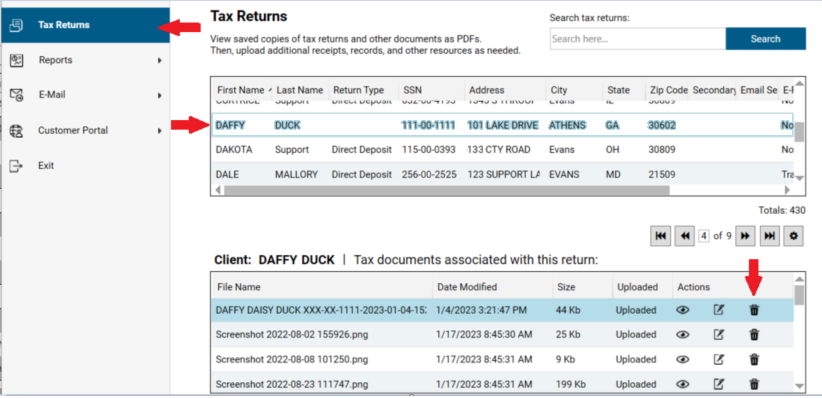
To remove a document saved in PaperCut, from anywhere within the Tax Processors Plus:
- Click the PaperCut icon in the toolbar at the top of the window.
- Click the taxpayer in the list. Below the list you will see the documents associated with the tax return.
- To remove a document, click the trash can icon next to the document.