E-File Process - State ID License
Online · Written guide Content date 1 min read
In Tax Processors Plus Online, the State ID License information is not required by the IRS and is optional for most states. It is required for tax returns utilizing a bank product to facilitate the refund.
Each state has its own requirements regarding taxpayer and spouse identification included in electronically filed tax returns, whether a driver's license or other state-issued ID.
When e-filing a tax return in Tax Processors Plus Online, taxpayer (and spouse, if filing married filing joint) state-issued ID or driver's license information is entered in the State ID License step:
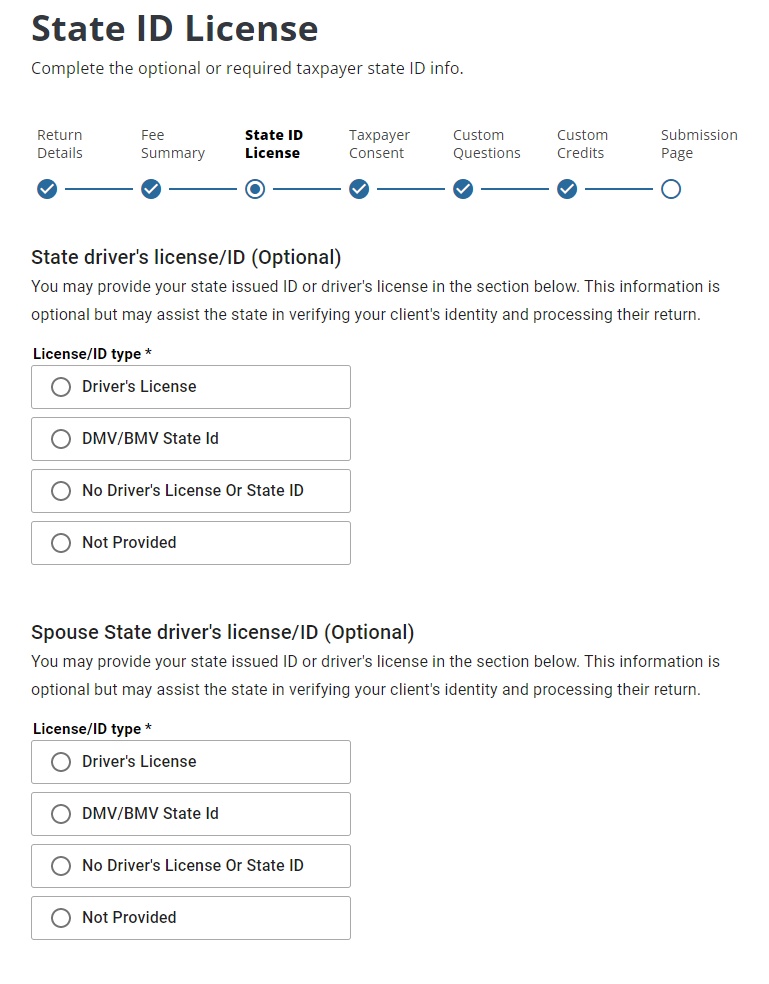
Once either Driver's License or DMV/BMV State Id has been selected you will be able to enter the ID's number, issue date, issue state. and expiration date.
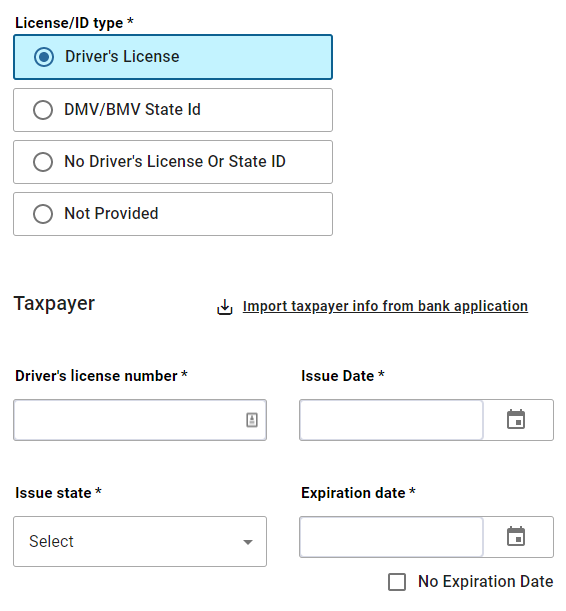
If the client does not have a drivers license or state issued ID select No Driver's License or State ID.
If the client has ID but chooses not to provide it, select Not Provided.
If the license or ID hasn't got an expiration date and the taxpayer is utilizing a bank product, enter 12/31/2049 for the expiration date.
Note: Returns utilizing a bank product to facilitate the refund must have an ID included in the return.
Additional Information:
Taxpayer ID Requirements for State Tax Returns
Tax Processors Plus Online Return Details Page