Hierarchy (Company, Group, and Preparer)
Online · Written guide Content date 2 min read
On this page
Company level
This is the highest login level, normally used by the service bureau or multi-office administrator. It can manage the company, offices, groups, reports, and all company returns, including disabling an office.
Group level
A group login covers only the offices assigned to that group. It can access their reports, returns, preparers, and configuration. Create offices before organizing them into groups.
Preparer level
A preparer login accesses its own office. Roles and Permissions can restrict its capabilities. Every office needs at least one preparer login; it may have more.
Office access
The account administrator receives company-level access and creates offices within the company. The Master EFIN determines the access delegated to each office; company-level control does not require every task to be performed centrally.
Detailed instructions
Every login within Tax Processors Plus Online falls under one of 3 categories: Company, Group or Preparer. Each login type has different abilities and access. Take a closer look below:
-
Company Level
This level is the highest level login within Tax Processors Plus Online. Typically, this is reserved for the owner of a Service Bureau or multi-office setup. From this login the user can add offices, create new groups, run reports, and control every aspect of their company. This login has no restrictions, and includes features such as turning off an entire office and accessing every return created within the company.
-
Group Level
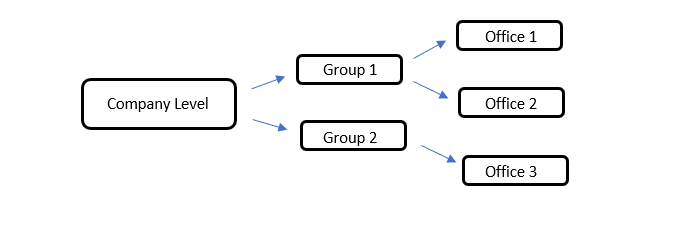
This level is similar to the company level but is specific to only the offices added to its group. Group level logins are able to view reports, returns, preparers, and configuration items for every office within their group.
-
Preparer Level
Preparer level logins are the most common logins for Tax Processors Plus Online. Every Tax Processors Plus Online user has a preparer login and this gives them access to only their office. Preparer logins can be restricted with Roles and Permissions.
Below is a visual of the hierarchy within Tax Processors Plus Online:
Offices
When a new Tax Processors Plus Online company is created, the Affiliate Support Manager will create a company level login for the administrator of the account. The administrator will then login at the company level and create single offices within the company:
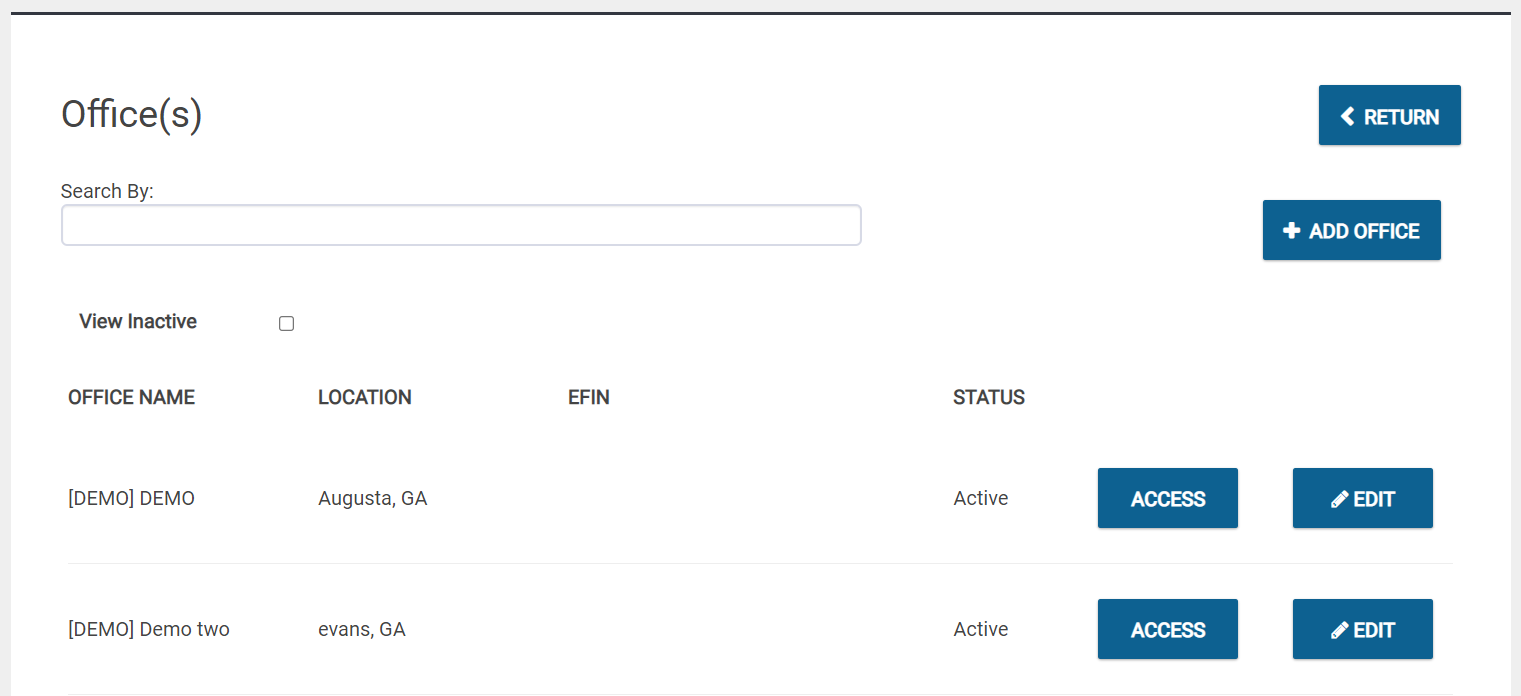
Each office can be controlled from the company level, but that does not necessarily mean that each office has to be. The Master EFIN can determine what access each office has.
Note: Every Office in Tax Processors Plus Online will need at least one Preparer login. Each office can have as many preparer logins as needed for the office's setup.
Group Login
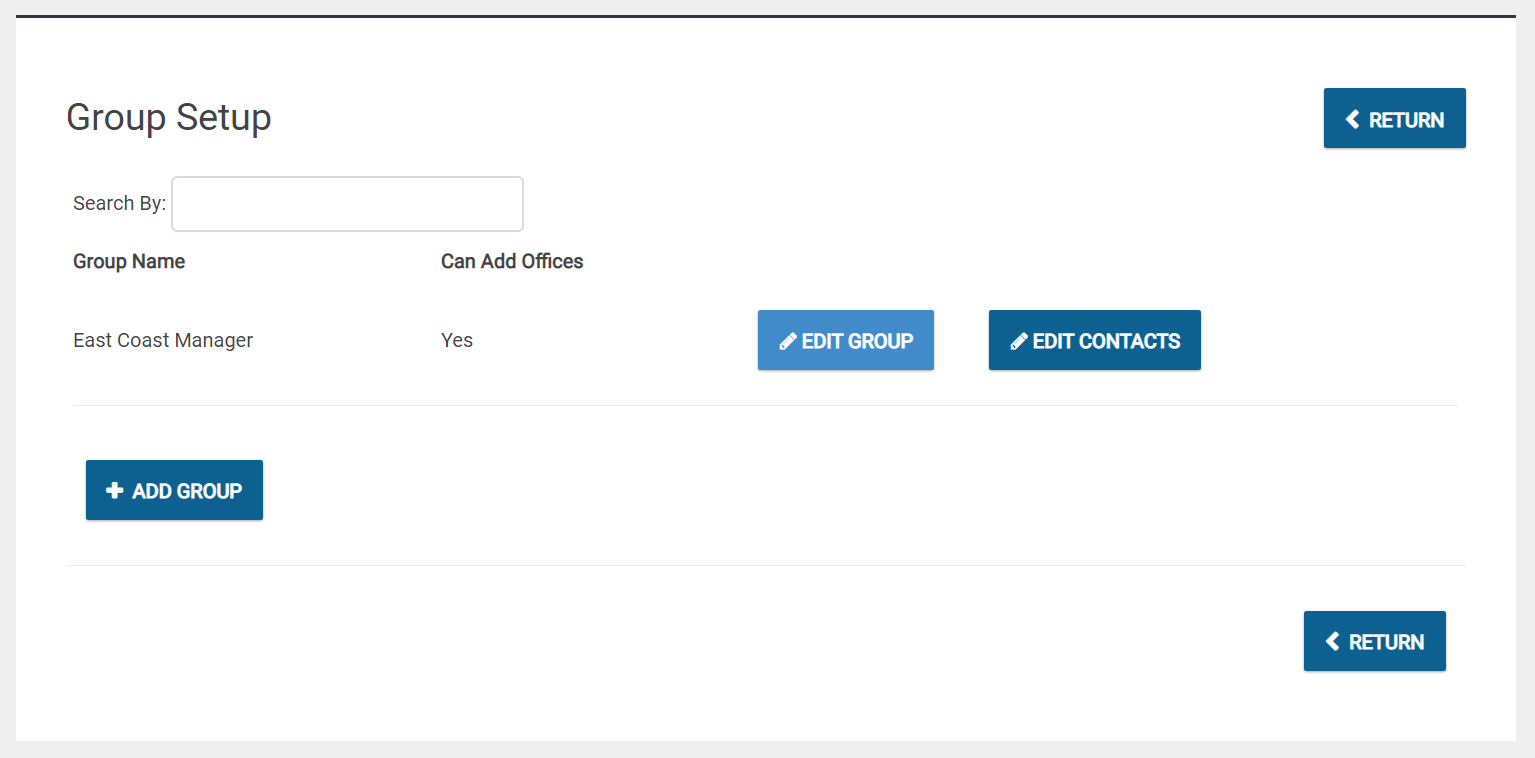
Once the offices have been created, the administrator can then create groups:
Additional Information: